7 Seed Phrase Mistakes That Get Crypto Stolen (and How to Fix Each One)
You open your wallet and the balance says zero. No bank, no support line, no undo button. In this video: the 7 seed phrase storage mistakes that get people robbed or locked out of their crypto, and the simple fix for each.
Narrated by Ali Fox, this channel's AI-generated voice. Captions are on by default; use the CC button to hide them.
Chapters
- 0:00Hook
- 0:40Mistake 1: The photo
- 1:06Mistake 2: Typing it in
- 1:30Mistake 3: Paper only
- 1:54Mistake 4: Same drawer
- 2:15Mistake 5: DIY splitting
- 2:40Mistake 6: Never testing
- 2:56Mistake 7: "Support"
- 3:28Bonus: the 25th word
- 3:57The fix
- 4:18Outro
- Never photograph, screenshot, scan or type your seed phrase. Only enter it on the hardware wallet itself.
- Use a metal backup for long-term holdings, and store it away from the device.
- Don't split the words yourself; use multisig or Shamir backup if you need to split.
- Check your backup on the device right after setup.
- Nobody legitimate will ever ask for your words, or hand you pre-printed ones.
- An optional BIP39 passphrase protects you even if someone finds your words, but it must be backed up too.
Full transcript
Hook (0:00)
You wake up. You open your wallet app. And the balance says... zero. Every coin. Gone.
No bank to call. No support line. No undo button. Nobody hacked the blockchain. Nobody guessed your password. Someone found twelve words.
And this is not a movie plot. In its latest report, the FBI says Americans reported more than eleven billion dollars in crypto-related fraud losses. So here are the seven seed phrase mistakes that get people robbed, or locked out forever. Number five fools even experienced holders. And number seven? That's the one scammers are counting on.
And stay to the end, because there's a bonus layer that can protect you even if someone finds your words. I'm Ali Fox, the AI voice of Self-Custody Guide. Let's make sure this never happens to you.
Mistake 1: The photo (0:40)
Mistake number one. The photo. You set up your wallet, and you think: let me just snap a quick picture. As a backup. But your phone quietly uploads that photo to the cloud.
Now your master key lives on someone else's servers, protected by nothing but your email password. And there's malware built to scan photo galleries, looking for seed words. Same goes for screenshots. Same goes for scanning it, just to be safe. If it's an image file, it can travel.
The fix? Your seed phrase never passes through a camera. Ever.
Mistake 2: Typing it in (1:06)
Mistake number two. Typing it in. A notes app. An email draft. A message to yourself. A cloud document. Every one of those is connected to the internet. Every one of them can leak.
And the worst version? A website that offers to validate, sync, or upgrade your wallet. It asks for your words. That site exists for one reason. To empty your wallet. The rule: the only place your words ever get entered is the hardware wallet itself, in a recovery you started on purpose.
Mistake 3: Paper only (1:30)
Mistake number three. One paper copy, and nothing else. Paper burns. Water ruins it.
Ink fades. And sometimes, someone cleaning the house throws it away. For anything you plan to hold for years, use a metal backup. Steel plates where you stamp or slot in your words. Not ready for metal yet? At least keep paper in a sealed envelope, somewhere dry, and think about a second copy in another safe place.
Good ones are built to survive house-fire temperatures that would destroy paper in seconds.
Mistake 4: Same drawer (1:54)
Quick question. Where is your backup right now? Think about it. Hold that thought. Because mistake number four is keeping it right next to the hardware wallet. One burglar opens one drawer, and gets both. One fire takes both.
Here's what most people miss. The device is replaceable. Lose it, buy a new one, restore from your words. So keep them apart. The device somewhere convenient. The words somewhere safe, private, and protected from fire and water.
Mistake 5: DIY splitting (2:15)
Mistake number five. The one that fools even experienced holders. Splitting your words. First half in one place, second half in another. Sounds smart, right? Wrong. Now losing either piece means losing everything. And anyone who finds one half has far fewer words left to guess.
Or people scramble the order with a secret code, and forget it three years later. If you really need to split a backup, use tools built for it, like multisig or Shamir backup. For most people, one clean, well-hidden copy is the better choice.
Mistake 6: Never testing (2:40)
Mistake number six. Never testing your backup. You wrote the words in a hurry. Maybe you misspelled one. Skipped one. Swapped two. You find out years later, when the device dies, and the recovery fails.
Trezor and Ledger both let you check your words on the device itself. Do it right after setup. Five minutes, and it can save everything.
Mistake 7: "Support" (2:56)
And now, mistake number seven. The one scammers are counting on. A message pops up. Wallet support. Your account is compromised. Act now. Fake support agents. Fake apps. Fake helpers in the comments.
Some even sell tampered devices that arrive with a recovery phrase already printed on a card. Download wallet apps only from the official website, by typing the address yourself. Not from an ad. Not from a link someone sent you. Here's the rule that beats all of them. Nobody legitimate will ever ask for your words. A real wallet always creates new words for you. If anyone asks for your words, or hands you words, it is a scam. Every. Single. Time.
Bonus: the 25th word (3:28)
Now, the bonus I promised. What if someone does find your twelve words? Most hardware wallets support an optional passphrase. Think of it as a twenty-fifth word that you never write next to the other twenty-four. The same twelve words, plus your passphrase, opens a completely different wallet. Without the passphrase, a thief who finds your words sees... nothing useful.
But here's the catch. Forget the passphrase, and nobody can recover it for you. Not the wallet company. Not anyone. So if you use one, back it up too, and store it separately from your words. It's powerful, but only if you'll remember it in ten years.
The fix (3:57)
So, what does safe actually look like? It's simple. One. Buy your hardware wallet from the official store. Two. Write the words by hand, and check them with the device's backup check.
Three. Copy them onto metal, and store it away from the device. Four. Nobody gets the words. Ever. And one more thing. If something happened to you, would your family know the backup exists? That's what an inheritance plan is for.
Outro (4:18)
Do this, and that zero-balance nightmare stays a nightmare, not your morning. The full checklist and our Self-Custody Kit are linked in the description. Some links are affiliate links that support the channel, at no extra cost to you. Next up: moving your crypto off an exchange, without sending it to the wrong network. One wrong click there can cost you everything too. See you there.
Related guides
How to Store a Seed Phrase Safely
Step-by-step guide to storing a crypto seed phrase safely: how to write it, paper vs metal backups, where to keep copies, and how to test your backup.
How to Test Your Seed Phrase Backup Safely
Step-by-step: test your seed phrase backup on a Trezor or Ledger without exposing it online, check passphrases and metal plates, and fix a failed check.
Crypto Wallet Drainer Scams Explained
How crypto wallet drainers steal tokens and NFTs via approvals, Permit signatures and EIP-7702 tricks, the red flags, and what to do if you're drained.
BIP39 Passphrase (25th Word) Explained
What a BIP39 passphrase is, how the hidden wallet works, who should use one, how to choose a strong passphrase and back it up without losing funds.
More videos
 0:56
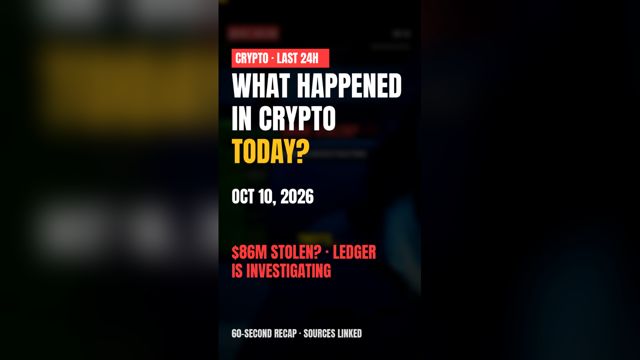
0:56What Happened in Crypto in the Last 24 Hours? (Oct 10, 2026)
Ledger Probe; Lifetime Ban; $1 Billion Seizure; UK Sanctions; Thailand ETFs
Sources
- Source for the $11 billion figure: FBI, 2025 Internet Crime Report (181,565 crypto-related complaints, more than $11 billion in reported losses): https://www.fbi.gov/news/press-releases/cryptocurrency-and-ai-scams-bilk-americans-of-billions
The opening is an illustrative scenario, not a specific person's story. Narrated by Ali Fox, this channel's AI-generated voice. Stock footage: Mixkit (Free License). Music & SFX: Mixkit (Free License). Education only, not financial advice.