How to Move Crypto from an Exchange to a Hardware Wallet Safely (Step by Step)
On May 3, 2024, someone sent about $68 million in wrapped bitcoin to a scammer's look-alike address. In this video: how to move your crypto off an exchange and onto your own hardware wallet, step by step, without picking the wrong network or falling for address poisoning.
Narrated by Ali Fox, this channel's AI-generated voice. Captions are on by default; use the CC button to hide them. Also on YouTube.
Chapters
- 0:00Hook
- 0:48Before you start
- 1:18Step 1: Get a receiving address
- 1:45Step 2: Verify on the device
- 2:12Step 3: Pick the right network
- 2:47Step 4: Send a test first
- 3:074 sneaky mistakes
- 4:10The $68M trap: address poisoning
- 4:54Lock down the exchange
- 5:15After the move
- 5:42Common questions
- 6:31Recap and outro
- Get a fresh receiving address in the official wallet app and confirm it on the hardware wallet's own screen: start, middle and end.
- Pick the withdrawal network that matches the wallet account (Tron address = Tron network, Ethereum address = Ethereum network).
- Send a small test transaction first, confirm it arrived, then send the rest to the same verified address.
- Never copy an address from your transaction history: address-poisoning scammers plant look-alike addresses there.
- Turn on the exchange's withdrawal address whitelist and use an authenticator app instead of SMS codes.
- Keep a little of the network's gas coin (e.g. TRX for USDT on Tron) so you can send tokens later.
Full transcript
Hook (0:00)
Sixty-eight million dollars, gone. In one transfer. May third, twenty twenty-four. A crypto holder copies an address, and hits send. The address looked right. The start matched. But it belonged to a scammer.
That holder got lucky. After days of negotiations, the attacker sent the funds back. Don't count on that kind of luck. And leaving coins on an exchange isn't safe either. FTX froze withdrawals in November 2022, and filed for bankruptcy days later. In February 2025, hackers stole about 1.5 billion dollars from the crypto exchange Bybit. The FBI blamed North Korea.
So today, you're taking your coins off the exchange, and into your own hands. Without the mistakes that cost people everything. I'm Ali Fox, the AI voice of Self-Custody Guide. Let's do it step by step.
Before you start (0:48)
Before you move a single coin, three things should already be done. One. Your hardware wallet came from the official store, or an authorized reseller. Not a random marketplace listing. Two. You've set it up, written down the recovery words it created, and checked them with the device's built-in backup check. If not, watch our seed phrase video first.
Three. You're using the official app. Trezor Suite for Trezor, or Ledger's own app for Ledger. Downloaded from the official website, by typing the address yourself. Not from an ad, and not from a search result.
Step 1: Get a receiving address (1:18)
Step one. Get a receiving address. In the app, open the account for the coin you're moving. Moving bitcoin? Open your bitcoin account. Moving USDT on the Tron network? Then you need a Tron account.
And USDT on Ethereum? That's a token, so it arrives at your Ethereum account's address. Same address, same account, as your ether. Click Receive. The app shows an address, and asks you to confirm it on the hardware wallet's screen. Which brings us to the most important habit in self-custody.
Step 2: Verify on the device (1:45)
Step two. Verify the address on the device. Your computer can be infected with malware that silently swaps a copied address for the attacker's address. You paste. It looks normal. It's not yours. The small screen on your hardware wallet is the one place that malware can't touch.
So compare the address in the app with the one on the device. Don't just glance at the first few characters. Check the start, a chunk in the middle, and the end. Only when they match, confirm on the device.
Step 3: Pick the right network (2:12)
Step three. Pick the right network. This is where people lose money. On the exchange, go to Withdraw, pick the coin, and paste your verified address. Now the exchange asks which network to use. Many tokens live on several networks. USDT, for example, exists on Tron, Ethereum, and others.
The rule is simple. Tron address, Tron network. Ethereum address, Ethereum network. If they don't match, your funds may be lost, or recoverable only with a lot of pain. Most exchanges will warn you, or refuse an address that doesn't fit the selected network. Never ignore that warning.
Step 4: Send a test first (2:47)
Step four. Send a small test first. Withdraw a small amount. Enough that you'd be annoyed to lose it, but not hurt. Then wait until it shows up in your wallet app. You can also search the transaction ID on a block explorer.
Yes, you pay the network fee twice. Think of it as cheap insurance. Once the test arrives, send the rest, to the same verified address.
4 sneaky mistakes (3:07)
Before we get to the big scam, here are four sneaky mistakes that cost beginners real money. Mistake one. Forgetting the fee. On many exchanges, the withdrawal fee comes out of the amount, so a little less arrives than you typed. So always check the amount you will receive, before you confirm. Exchanges also set a minimum withdrawal for each coin and network. Below that, you simply can't send. So check it before you plan your test amount.
Mistake two. The memo, or tag. Some coins, like XRP, use a destination tag or memo. When you deposit to an exchange, it's often required, and forgetting it can mean a support ticket and a long wait. Withdrawing to your own wallet, you usually leave it empty, unless your wallet app tells you otherwise. Mistake three. Using an address someone sent you. Real support will never send you a wallet address to "secure" your funds. The only address you send to is the one your own device shows you.
Mistake four. Logging in through an ad or a link. Fake exchange login pages steal passwords and two-factor codes. Bookmark the real site, and only log in from that bookmark.
The $68M trap: address poisoning (4:10)
Now, remember that sixty-eight million dollar mistake? Here's how it works. It's called address poisoning. After you make a transaction, scammers send you tiny transfers, sometimes worth zero, from an address that looks almost identical to one you use. They're betting that next time, you'll copy an address from your transaction history, and grab theirs by mistake.
Scammers generate addresses that share the first and last few characters with yours. Many apps shorten addresses on screen, so the different middle part is easy to miss. And here's the scary part. According to Chainalysis, that victim had likely just sent a test payment. Then the big transfer went to the look-alike. The defence is simple. Never copy addresses from history. Every time, get a fresh address from your wallet app, and verify it on the device.
Lock down the exchange (4:54)
While you're at it, lock down your exchange account too. Many exchanges offer a withdrawal address whitelist. Funds can only go to addresses you approved in advance, often with a waiting period for new ones. Use an authenticator app for two-factor login, not SMS codes. Text codes can be hijacked with a SIM swap.
And if you're done with an exchange, don't leave forgotten balances sitting there for years.
After the move (5:15)
Your coins arrived. Three things to know now. One. Some networks need their own coin to pay fees. Sending USDT on Tron usually needs some TRX. So keep a little of the gas coin in the same wallet. Two. Your coins don't live inside the device. They live on the blockchain. The device holds the keys that can move them.
Three. Lose the device, or break it? A new one plus your recovery words brings everything back. That's why the backup matters more than the gadget.
Common questions (5:42)
Quick answers to three questions everyone asks. It's been an hour and nothing arrived. Don't panic, and don't send again. Exchanges often hold withdrawals for a security review, and some networks are slower. Find the transaction ID in your withdrawal history, and look it up on a block explorer. No transaction ID yet? Then the exchange simply hasn't sent it.
Can you send different coins to the same address? Only if they live on the same network. Always generate the address from the right account. And if you already sent on the wrong network? Stop, and don't send more. Contact the exchange's official support through its website, with your transaction ID. Some mistakes can be fixed, some can't, so this is exactly why the test transaction exists.
And do you need the device plugged in to receive? No. The transaction lands on the blockchain either way. You only need the device to send.
Recap and outro (6:31)
Let's recap. One. Get a fresh address, and verify it on the device screen. Two. Pick the network that matches that account.
Three. Send a small test, confirm it arrived, then send the rest. Four. Never, ever copy an address from your history. The written version of this guide is linked in the description.
Next time: hot wallets versus cold wallets, and which one you actually need. See you there.
Choosing a device? See our honest hardware wallet comparison.
Related guides
How to Move Crypto from an Exchange to a Hardware Wallet
Safely withdraw Bitcoin, ETH or USDT from an exchange to a Trezor or Ledger: verify the address on-device, pick the right network and send a test first.
Crypto Wallet Drainer Scams Explained
How crypto wallet drainers steal tokens and NFTs via approvals, Permit signatures and EIP-7702 tricks, the red flags, and what to do if you're drained.
How to Store a Seed Phrase Safely
Step-by-step guide to storing a crypto seed phrase safely: how to write it, paper vs metal backups, where to keep copies, and how to test your backup.
How to Test Your Seed Phrase Backup Safely
Step-by-step: test your seed phrase backup on a Trezor or Ledger without exposing it online, check passphrases and metal plates, and fix a failed check.
More videos
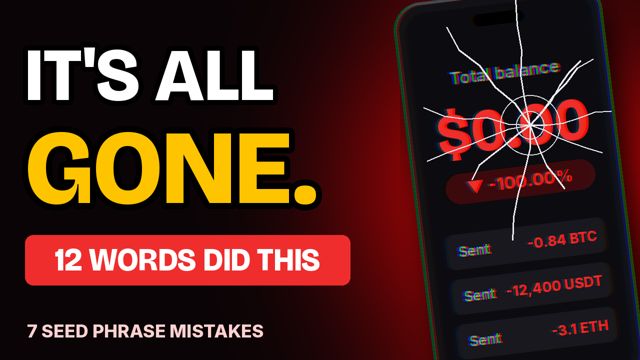 4:37
7 Seed Phrase Mistakes That Get Crypto Stolen (Number 7 Is the Scammers' Favorite)
Photos, cloud notes, paper-only backups, fake support and three more mistakes that drain wallets, with the fix for each.
Sources
- $68M address-poisoning case, May 3, 2024 (Chainalysis): https://www.chainalysis.com/blog/address-poisoning-scam/
- Funds returned after negotiations (Cointelegraph): https://cointelegraph.com/news/wbtc-address-poisoner-all-funds-negotiations
- $1.5B Bybit hack, Feb 2025 (FBI): https://www.ic3.gov/psa/2025/psa250226
- FTX paused withdrawals and filed for bankruptcy, Nov 2022 (Chicago Fed): https://www.chicagofed.org/publications/chicago-fed-letter/2023/479
Narrated by Ali Fox, this channel's AI-generated voice. Stock footage, music & SFX: Mixkit (Free License). Education only, not financial advice.